

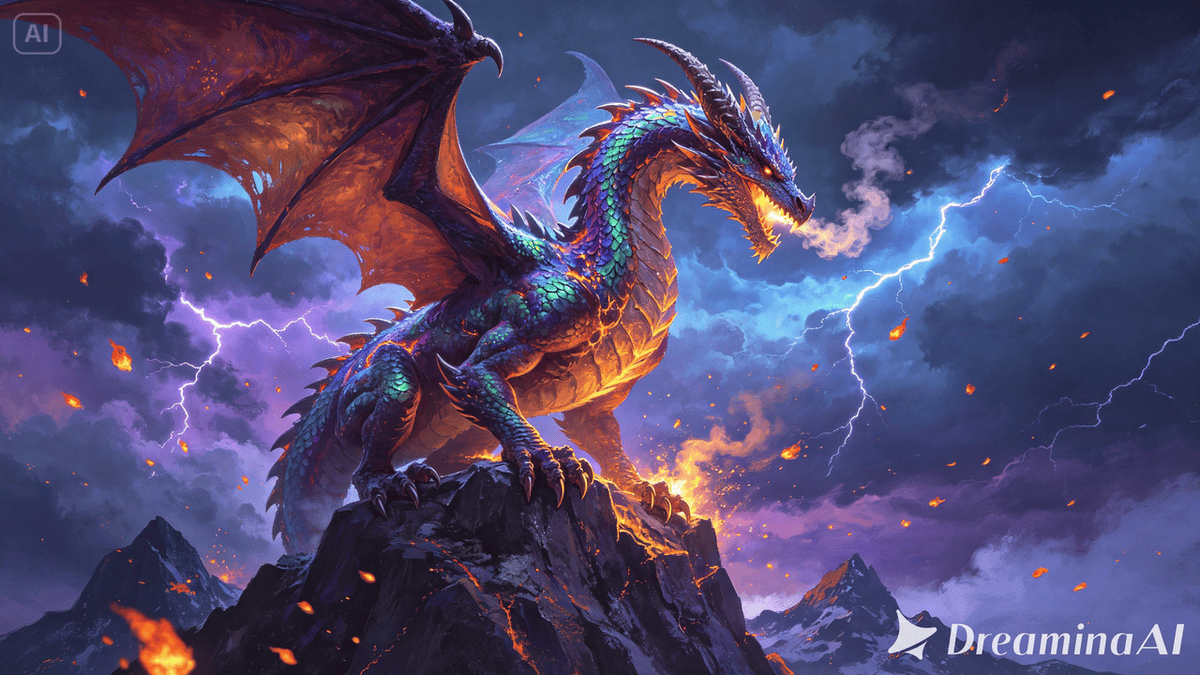
Fantasy artwork lives in worlds that don’t exist anywhere else — dragons mid-flight, castles wrapped in fog, spells caught in the instant before they burst into light. All of that imagination has always been trapped on a single flat canvas, forced to imply an entire universe through one frozen frame.
With image to video technology, that universe can finally start moving. Dreamina, powered by its latest and most advanced video generation model, Seedance 2.5, gives fantasy artists a way to let their worlds breathe, without touching a single frame of traditional animation.

Fantasy art was always building toward motion
Look closely at concept art for dragons, wizards, or ancient ruins, and you’ll notice the composition is rarely accidental — wings mid-spread, cloaks caught by wind, magic frozen at its most dramatic point. Fantasy illustrators have long painted implied motion because actual motion wasn’t available to them. Video generation doesn’t change that instinct; it finally gives it somewhere to go.
Why fantasy worlds benefit especially from animation
Unlike a real-world photo, fantasy art often has to convince a viewer that an entire invented world is believable. Motion does a huge amount of that convincing work:
- Wind, fire, and light moving naturally make an imagined world feel physically real
- Subtle creature motion, like breathing or shifting weight, builds presence and scale
- Atmospheric effects, like drifting fog or falling embers, deepen mood far more than a still frame
Inside Seedance 2.5: powering believable imagined worlds
Style-aware creativity transfer
Rather than flattening painterly fantasy art into generic video motion, Seedance 2.5 is capable of creativity transfer, picking up on the emotional tone, brushwork, and stylistic identity of a reference so a piece still feels unmistakably like the original artwork once it moves.
Longer scenes for full atmospheric builds
Native clips now support up to 30 seconds, with the “Ultra-long Video Generation (beta)” mode extending that range up to 180 seconds — enough time for fog to roll in, embers to drift, and a creature to shift naturally rather than loop abruptly.
Reduced “AI look” for physically believable detail
The model has significantly reduced the artificial, uncanny texture that used to undercut fantasy scenes, favoring more realistic light, smoke, and fire behavior — details that matter enormously when trying to sell an invented world as physically real.
Handling complex creature and character motion
Seedance 2.5 can interpret richer references, including white model (blockout) data, which helps it understand complex movement paths — useful for creatures with unusual anatomy or scenes involving multiple characters interacting at once.
Precise local editing
Local editing allows specific elements — a stray object, an unwanted detail — to be removed or adjusted within a frame without regenerating the entire scene, keeping small fixes small.
Setting your world in motion with Dreamina
Step 1: Upload your fantasy artwork and describe the motion
Sign in to Dreamina and open the “AI Video” section. Click “Add reference image” to upload your fantasy illustration, then write a prompt describing the motion and atmosphere you want.
For a 30-second clip, try: Using the dragon and mountain cliff from the reference image, generate a 30-second animated video: the dragon slowly breathing and shifting its wings, embers drifting upward through the air, storm clouds rolling slowly in the background, the camera slowly circling the dragon before pulling back to reveal the full mountain in the final seconds.
Step 2: Generate the scene with Seedance 2.5
Select the Seedance 2.5 model, choose your video length, then pick an aspect ratio suited to where the piece will be shared — 16:9 for a portfolio site or YouTube, 9:16 for Instagram or TikTok. Click Dreamina’s generate icon and let the world come to motion.
Step 3: Refine and share your animated fantasy scene
Use Dreamina’s editing tools to finish the piece — Upscale for cleaner detail across fine textures like scales or fabric, Generate soundtrack for atmospheric music or sound design — then export and share your world with the audience it deserves.
Choosing which pieces are strongest candidates for motion
Not every fantasy illustration needs animation to feel complete. The strongest candidates tend to be pieces already built around a dramatic moment or a clear focal creature or character — scenes with implied wind, fire, magic, or movement already baked into the composition tend to translate far more convincingly than quiet, static tableaus.
Matching motion to the tone of the world
A dark, foreboding fantasy scene calls for slower, heavier motion — drifting fog, flickering torchlight — while a bright, whimsical world suits lighter, more playful movement, like floating particles or gentle magical sparkle. Naming that tone directly in your prompt helps Seedance 2.5 shape the pacing to match the emotional register of the piece, rather than defaulting to one generic style of motion.
Building a portfolio reel from animated fantasy pieces
A single animated illustration is compelling on its own, but stringing several together — a dragon, a sorcerer, an ancient ruin — can turn a fantasy art portfolio into a moving showreel that feels less like a gallery and more like a glimpse into an entire universe an artist has built.
Where animated fantasy art gets the most use
This kind of content shows up naturally in game concept reveals, book cover animations, fantasy portfolio reels, and social content for original fantasy IP, where a world that moves tends to draw far more engagement than one that only exists in still frames.
Final thought
Fantasy art has always asked viewers to imagine what happens next. With Dreamina and the atmosphere-building precision behind Seedance 2.5, that imagined motion can finally exist on screen — letting an invented world move the way it was always meant to.