

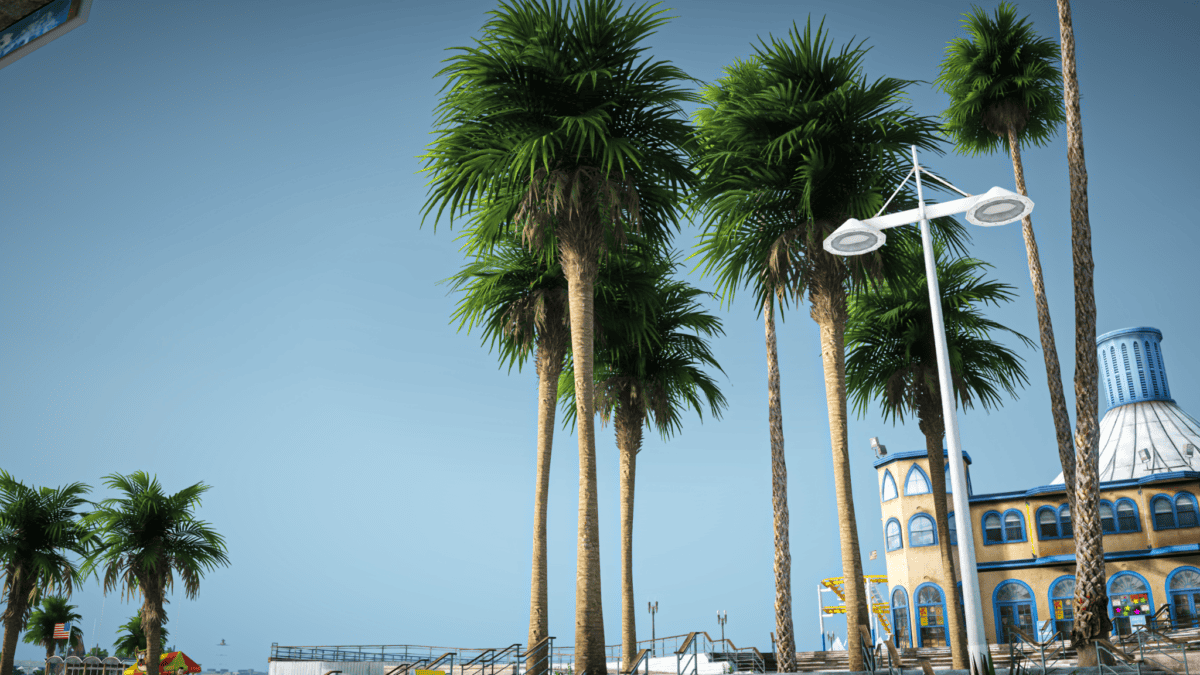
Ever since GTA V hit the shelves way back in 2013, the modding community refused to let it age. Thousands of mods have come and gone, with creators pushing the game’s visuals into new territory, making Los Santos look fresher, sharper, and more alive than Rockstar ever imagined. Most mods tweaked a few things here and there, but only a handful, like NVE and QuantV, have managed to unlock that legendary “new-gen” status. Today, we’re breaking down the absolute bangers that still dominate in 2026: what works, what doesn’t, and how they compare with the classics.
NaturalVision Evolved (NVE) – The King of Realism
If there’s one mod that feels like it was built to turn GTA V into a next-gen experience, it’s NaturalVision Evolved. Developed by RazedMods, this highly realistic mod is among the most respected visual overhauls. It pushes the old RAGE engine to its absolute limits. The result? Unparalleled visuals that make GTA V look as realistic as possible.
Here’s what makes NVE stand out:
- Revamped Lighting & Shadows. The sun feels real, casting soft, believable shadows throughout the day. Daytime scenes pop with depth, while nighttime visuals feel moody and atmospheric instead of plain flat.
- Weather. All weather conditions are overhauled: rain actually looks wet, snow feels cold, and sunsets are vibrant as never before.
- Textures. Roads, trees, skies, and buildings all get serious upgrades.
- Dynamic Lighting. Nighttime in the city feels alive: neon signs, realistic billboards, and streetlights pop with a realistic glow.
- RTX and ENB Support. Ray Tracing effects and ENBSeries are used here for more realistic reflections. That’s it, if your PC can handle it.
Graphics Comparison: Default vs. NVE
For a game released in 2013, the default GTA 5 graphics are more than impressive. The OG version holds up decently, but NVE turns it into a photorealistic masterpiece with much better lighting, textures, and overall atmosphere. In short, NVE wins hands down, no contest.
| Feature | Default | NVE |
| Lighting | Standard; basic shadows & reflections | Advanced; enhanced global illumination & HDR lighting |
| Weather | Standard preset | Immersive weather systems |
| Textures | Average detail | Crisp 4K assets and sharp surfaces |
| Water Physics | Basic ripple effect | Realistic waves, foam, reflections |
| Atmosphere | Minimal fog and particle effects | Volumetric fog, smoke, and haze |
FPS Performance
Unsurprisingly, the difference is significant. Expect noticeable FPS drops, especially in busy areas or while driving. Not ideal for lower-end rigs; worth it for better hardware.
| Default (FPS) | NVE(FPS) | |
| Daytime | 50-60 | 30-37 |
| Nighttime | 50-60 | 28-34 |
| Sunset | 50-57 | 28-34 |
| Sunset Car Rides | 50-56 | 29-35 |
| Nighttime Car Rides | 49-54 | 29-33 |
| Daytime Car Rides | 49-54 | 29-34 |
How to Install NVE?
- Head over to the Razed Mods Patreon, subscribe to the correct tier.
- Download the core files and any optional add-ons.
- Make sure you have OpenIV and ScriptHookV if you don’t already have them.
- Extract files and follow instructions: place files in the correct “mods” folder for single-player and a separate setup for FiveM. Ensure the server’s settings are compatible with FiveM.
- Launch the game and enjoy the transformation.
Double-check requirements before downloading on Patreon. NVE is a heavy mod that demands solid hardware.
QuantV – Realism for Lower-Tier Rigs
QuantV takes a different route. Developed by the Quant team, it focuses on delivering stunning visuals while staying friendlier to standard PCs. Hence, it has gained a huge following. Here are the standout features of QuantV:
- Lighting. Realistic sun rays with vibrant natural lighting.
- Weather. Smooth, detailed transitions and dynamic weather scenarios. ·
- Performance. Strong optimization, which makes it work even on lower-end PCs.
- Post-Processing Effects. Beautiful post-processing effects like motion blur, color grading, and depth of field.
- Reflection. Impressive reflections on water, cars, and other shiny surfaces.
Graphics Comparison: Default vs. QuantV
QuantV is the sweet spot for many players who want big upgrades without dealing with low FPS or crashes. Suitability for lower specs is among its many advantages.
| Feature | Default | QuantV |
| Lighting | Standard; basic shadows & reflections | Enhanced; better illumination with HDR & improves sun rays |
| Weather | Standard preset | Dynamic and overhauled weather effects |
| Textures | Average detail | Ultra-detailed 4K textures |
| Water Physics | Basic ripple effect | Realistic fog and light diffusion |
| Atmosphere | Minimal fog and particle effects | High-quality reflections with ray effects |
FPS Performance
Noticeably better FPS than NVE while still looking great. This mod is a good choice if you want an upgrade without overwhelming your hardware and completely destroying your frame rate.
| Default (FPS) | QuantV(FPS) | |
| Daytime | 50-60 | 34-40 |
| Nighttime | 50-60 | 35-39 |
| Sunset | 50-57 | 29-35 |
| Sunset Car Rides | 50-56 | 31-36 |
| Nighttime Car Rides | 49-54 | 34-37 |
| Daytime Car Rides | 49-54 | 32-35 |
How to Install QuantV?
- Head over to the official Patreon page and subscribe to the correct tier.
- Grab the download links, take a minute to read the installation instructions.
- Double-check that your game version is compatible, then extract all the files.
- Drop everything into the “mods” folder. Dial in QuantV settings through the menu to tweak the visuals.
- Launch and enjoy the glow-up.
Ray Fusion from ModsHub – Next-Gen Made Easy
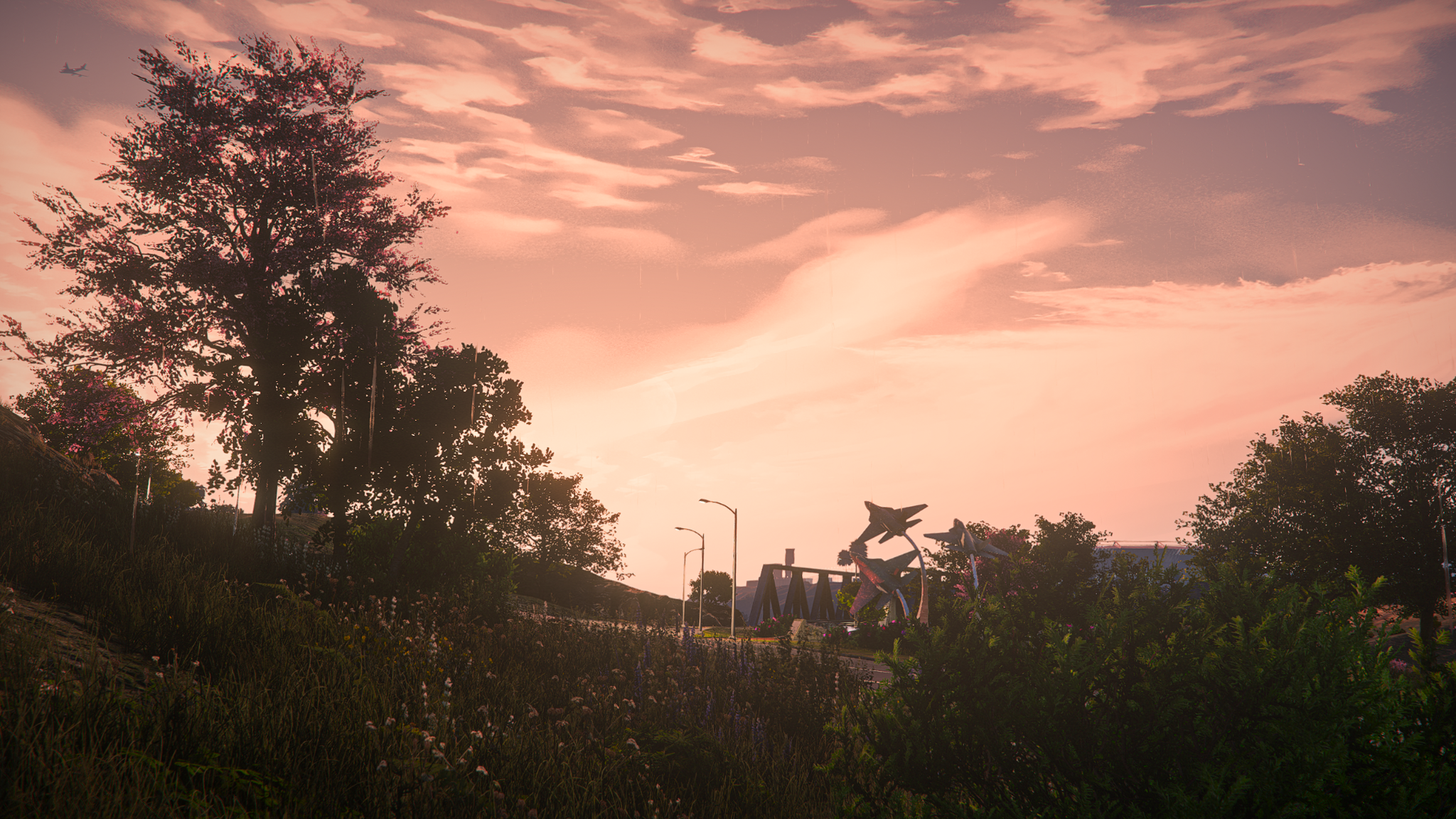
Another strong modern alternative, Ray Fusion, stands out for a few reasons: high-resolution textures, advanced lighting, and top-notch optimization. It uses SSR tech for realistic reflections without dropping your FPS. You also don’t need a NASA-level PC for this, which is another plus. It’s heavily inspired by games like Cyberpunk and Forza — enough said.
Here’s what makes Ray Fusion special:
- Photorealistic Lighting. Advanced lighting effects with global illumination and HDR.
- Enhanced Textures. Super detailed high-resolution textures for vegetation, roads, and city buildings.
- Dynamic Weather. Smooth transitions between weather types, realistic fog, cloud patterns, and rain, to name a few.
- Optimization. Balanced settings with great performance that don’t tank your FPS. Works well on mid-range hardware.
- Cinematic Atmosphere. Improved contrast and color grading make every scene pop. Enhanced sunrays and ambient lighting effects.
- Customization. Incredibly customizable mod: you can replace or even remove assets for a smoother experience, so you don’t run into issues with FPS.
Graphics Comparison: Default vs. Ray Fusion
Ray Fusion allows you to enjoy enhanced visuals on pretty much mid-range hardware. Here’s how it compares to the original:
| Feature | Default | Ray Fusion |
| Lightning | Standard lightning & shadows | Photorealistic lighting, HDR effect, |
| Weather | Standard presets | Dynamic weather + improved visuals |
| Textures | Moderate resolution | High-resolution environment |
| Reflections | Basic reflections & surface effects | Advanced reflections with enhanced realism |
| Atmosphere | Standard | Cinematic color grading, volumetric effects |
FPS Performance
Ray Fusion boosts visuals and gets rid of blurry graphics. Better aesthetics and visual enhancements are a given.
| Default (FPS) | Ray Fusion (FPS) | |
| Daytime | 50-60 | 43-48 |
| Nighttime | 50-60 | 43-47 |
| Sunset | 50-57 | 44-48 |
| Sunset Car Rides | 50-56 | 43-48 |
| Nighttime Car Rides | 49-54 | 43-48 |
| Daytime Car Rides | 49-54 | 40-43 |
How to Install ModsHub’s Ray Fusion?
There are two ways to install Ray Fusion, so you can choose the one that suits you more.
Via regular tools:
- Go to the ModsHub website and search for Ray Fusion.
- Download the files and create a backup of your game folder.
- Copy the files into the right directories (including the “FiveM mods” folder).
- Restart the game.
Via ModsHub app (easiest option):
- Download the app and connect your Discord account.
- Point it to your GTA V and FiveM folders.
- Pick Ray Fusion from the ModsHub library and hit install.
- Launch the game.
Miami Wave – Pure 80s Nostalgia from ModsHub
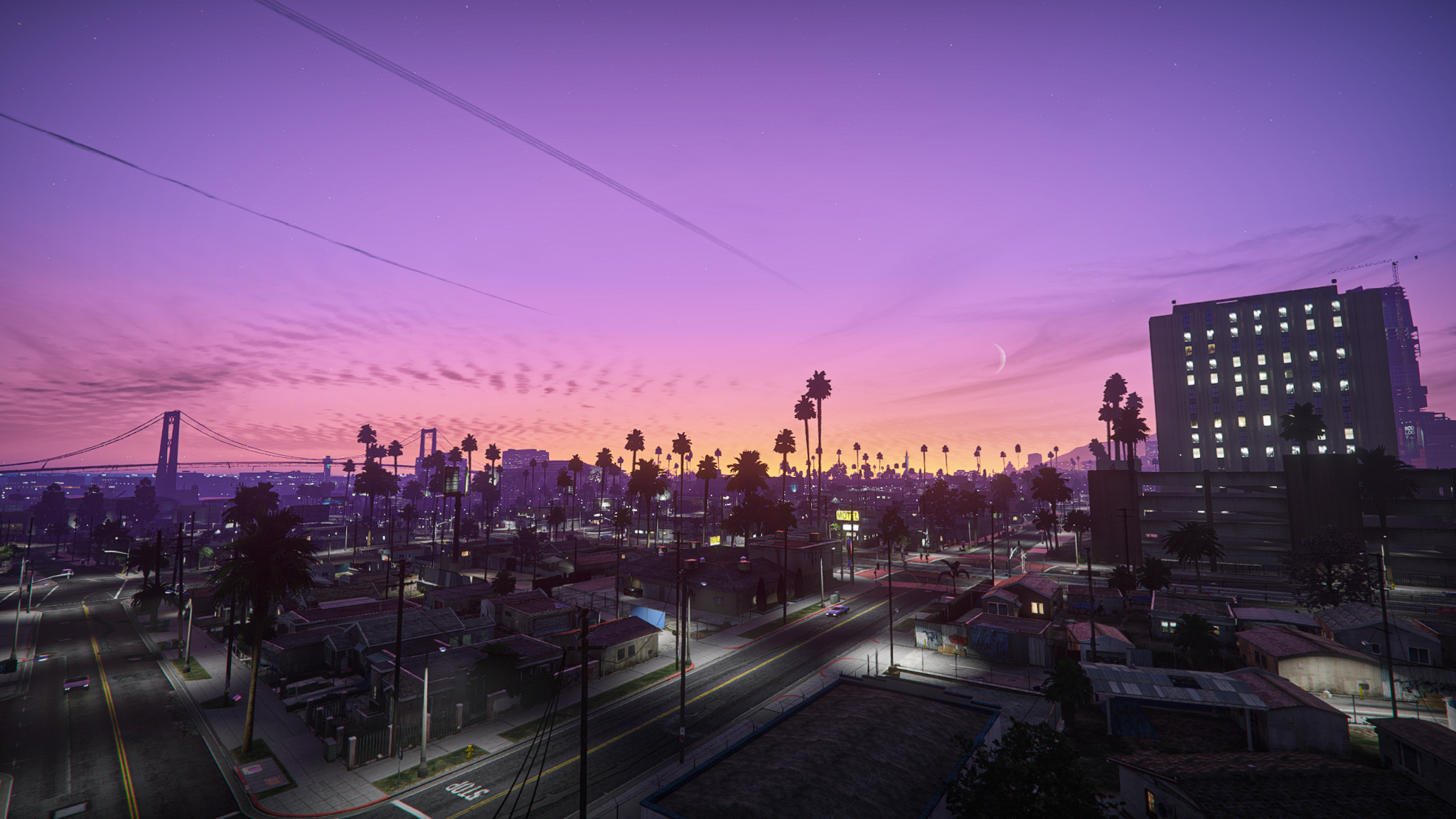
In the mood for something totally different? Miami Wave is a blast of neon lights, dramatic sunsets, and stylized 80s retro aesthetics. If you’re looking for a more cinematic and vivid experience, Miami Wave changes the vibe of Los Santos in the best way possible.
Here’s what to expect:
- Vibrant Color Palette. Neon lights and pastel tones with distinctive color grading for the best immersion possible.
- Enhanced Lighting & Reflections. Great lighting and high-quality reflections on surfaces amplify the retro aesthetic even further.
- Reworked Weather Systems. Enhanced skies and sunset hues with beautiful cinematic weather. Dramatic, over-saturated sun rays feel straight out of a movie.
- Optimized for FiveM. Smooth integration with FiveM servers for further customization.
- Realistic Rain. Satisfying rain effects that hit your screen.
Graphics Comparison: Default vs. Miami Wave
Feeling nostalgic? Miami Wave is a perfect companion for a trip down memory lane while remaining one of the lightest and easiest mods to install.
| Feature | Default | Miami Wave |
| Color Palette | Standard tones | Vibrant neon & pastel hues |
| Lightning | Basic effects | Dynamic retro lighting + HDR |
| Weather | Regular weather types | Cinematic skies |
| Reflections | Standard | Stylized, high-quality reflections |
| Atmosphere | Original | Nostalgic synthwave-inspired vibes |
FPS Performance
Miami Wave is a great option for anyone who wants to skip the lengthy installation and boost the game in just a few clicks. Violet hues, vibrant sunsets, and stylized retro vibes transform the original into a cinematic masterpiece.
| Default (FPS) | Miami Wave(FPS) | |
| Daytime | 50-60 | 29-34 |
| Nighttime | 50-60 | 30-33 |
| Sunset | 50-57 | 30-34 |
| Sunset Car Rides | 50-56 | 29-33 |
| Nighttime Car Rides | 49-54 | 30-33 |
| Daytime Car Rides | 49-54 | 32-37 |
How to Install ModsHub’s Miami Wave?
- Visit ModsHub and search for Miami Wave.
- Choose either Discord or modding tools (OpenIV, ScriptHookV).
- Install and launch.
Choosing Between NVE and QuantV
NVE is the realism heavyweight that demands more from your PC but delivers the most photorealistic experience possible. Installation is more cumbersome: you’ll have to download it via RazedMods Patreon and use modding tools like OpenIV, ScriptHookV, and ENBSeries.
QuantV, on the other hand, is a combo of great visuals and optimized performance for lower-tier rigs. To download the mod, all you need is a Patreon subscription.
Ultimate Comparison
| Features | NVE | QuantV |
| Realism | Photorealistic visuals | Realistic + vibrant accents |
| Performance | Hardware-intensive | Hardware-intensive |
| Weather | Advanced atmospheric effects, volumetric clouds | Dynamic weather systems |
| Cost | Patreon subscription | Third-party sites |
| RTX & ENB Support | Supports ENB and ray tracing | Supports ENB with RTGI integration |
Conclusion
These GTA 5 graphics mods prove that even after more than a decade, the game is still brimming with potential. Hyper-realism, cinematic flair, pure retro vibes — whichever mod you end up choosing (and why not try multiple?), you’ll fall in love with Los Santos all over again. Pick the right one for your current setup, follow the step-by-step guides, and don’t forget to back up your files. Enjoy the ride!